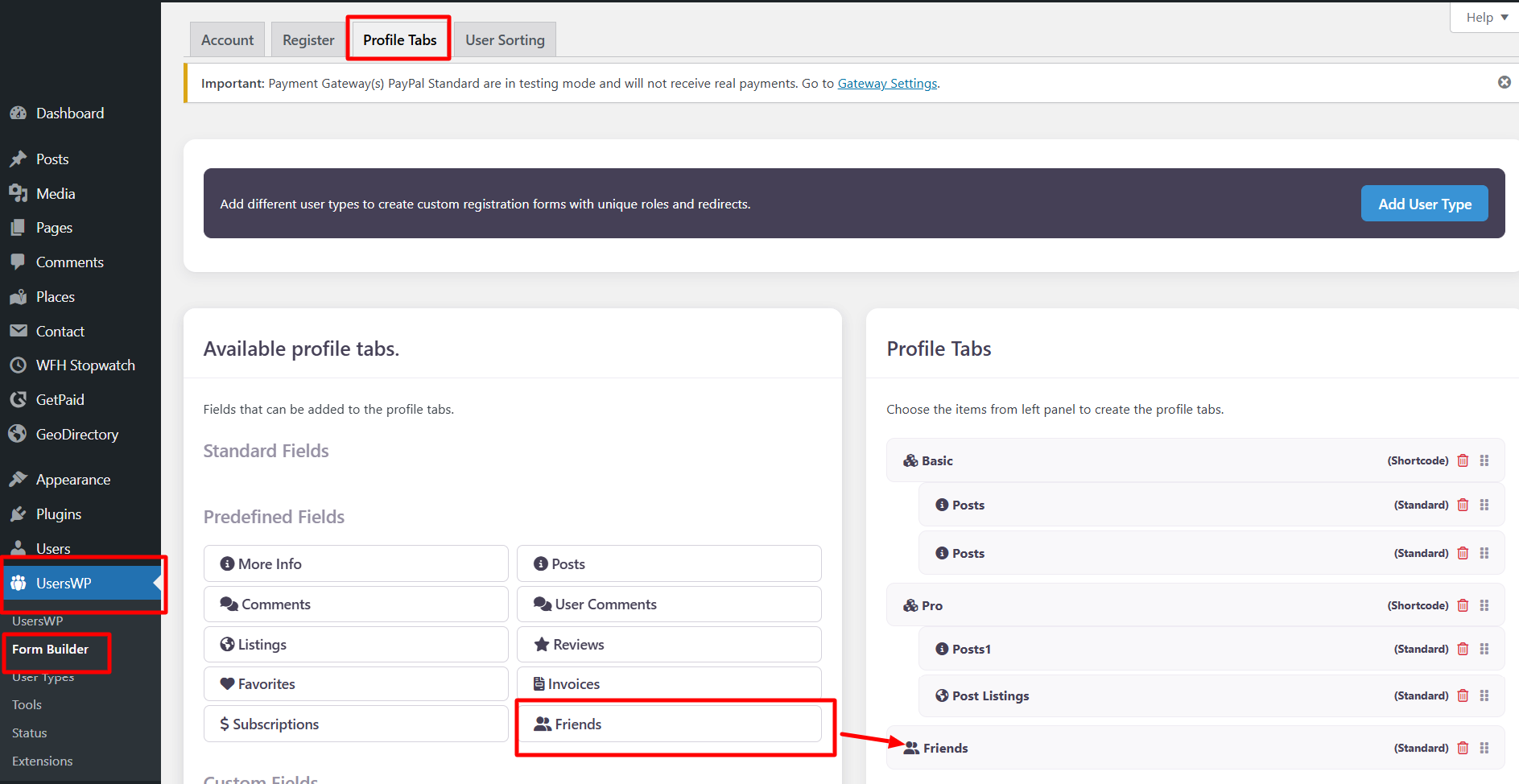
This is the settings overview for the UsersWP > Form Builder > Profile Tabs > Friends page.
Friends Settings
The UsersWP Friends extension enables your site’s registered users to “Add Friends” and see a list of Friends on the profile.
The UsersWP Friends extension allows registered users on your site to send friend requests and view their friends list on profile pages.
Add Friends Button
The Add Friend button is displayed automatically on the Users listing page, usually available at yoursite.com/users/.
This allows users to send friend requests directly from the directory.
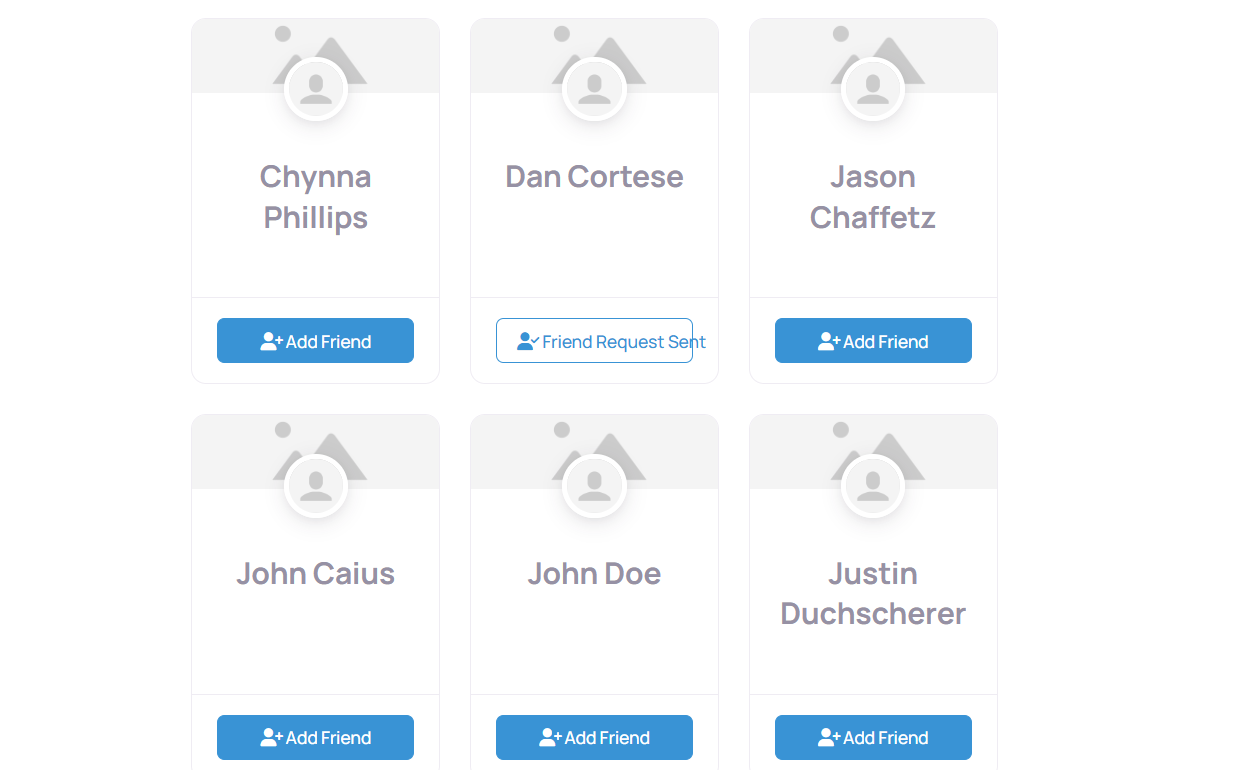
Make New Friends
To enable the Friends tab on user profiles, follow these steps:
- Go to UsersWP → Form Builder.
- Open the Profile Tabs section.
- Click on the Friends tab to add it to your site.