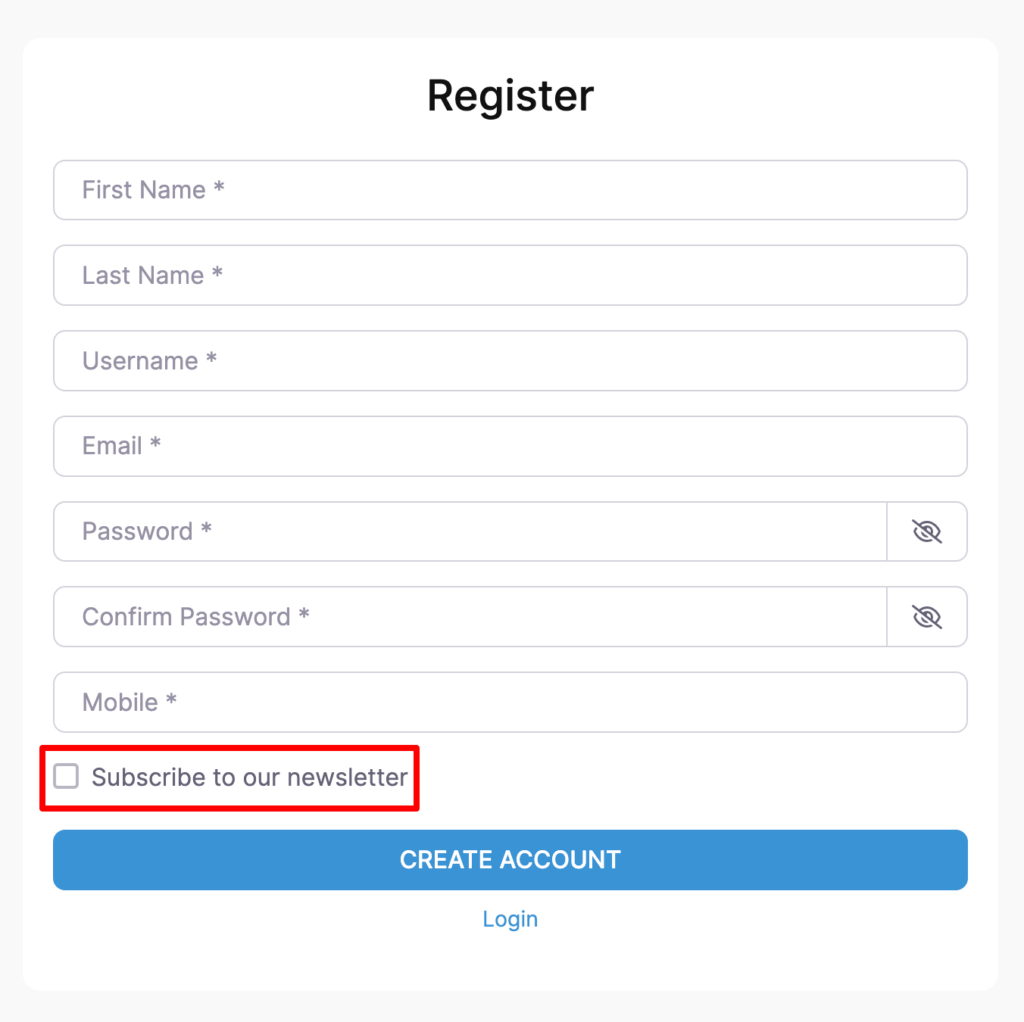
This article will guide you through the process of setting up the MailPoet extension for UsersWP.
Getting Started
The MailPoet extension for UsersWP lets users subscribe to your MailPoet newsletter.
You have now integrated the extension with your MailPoet account.
Adding Subscription Forms
The extension provides custom widgets UWP > MailPoet Subscribe Form and UWP > MailPoet Unsubscribe Form can be used to add subscription and unsubscribe forms to any content area.
In addition to that, a new field ‘Subscribe to newsletter – MailerLite’ is also available in UsersWP > Form Builder > Account which can be added to the Registration Form that allows users to signup to your mailing list whilst they are creating a new account.
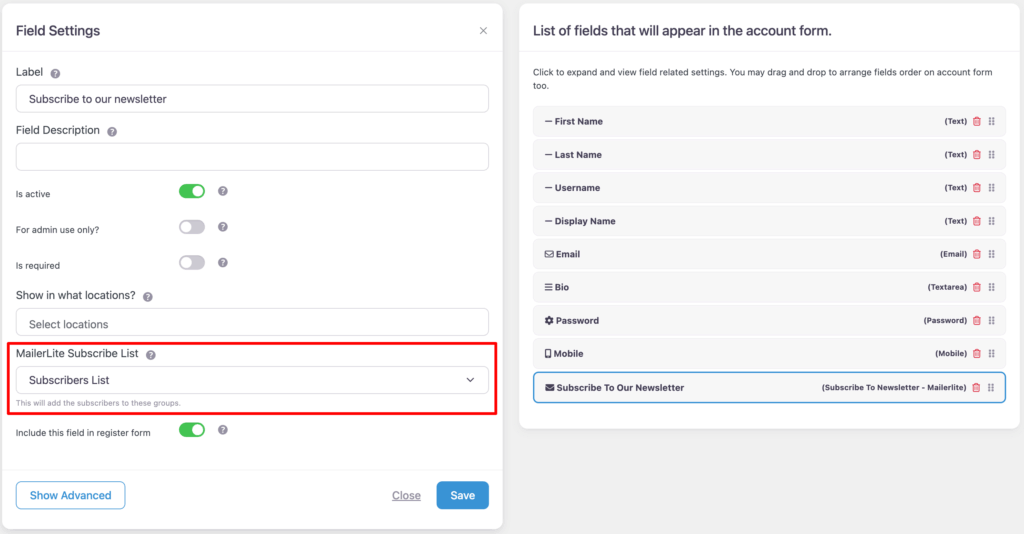
Add this field to register form from UsersWP > Form Builder > Register and you will see the checkbox on register form to allow users to subscribe from register form.
The output: