This article will guide you through the process of setting up the ActiveCampaign extension for UsersWP.
Getting Started
The ActiveCampaign extension for UsersWP allows users to subscribe to your site’s mailing lists using the popular ActiveCampaign platform.
Once activated and configured, the extension will be automatically integrated with your ActiveCampaign account.
Adding Subscription Forms
The extension provides custom widgets such as UWP > ActiveCampaign Subscribe Form and UWP > ActiveCampaign Unsubscribe Form. These widgets can be used to add subscription and unsubscribe forms to any widget area or page.
In addition, a new field called Subscribe to ActiveCampaign is available in UsersWP > Form Builder > Account. This field can be added to the Registration Form, allowing users to join your mailing list while creating a new account.
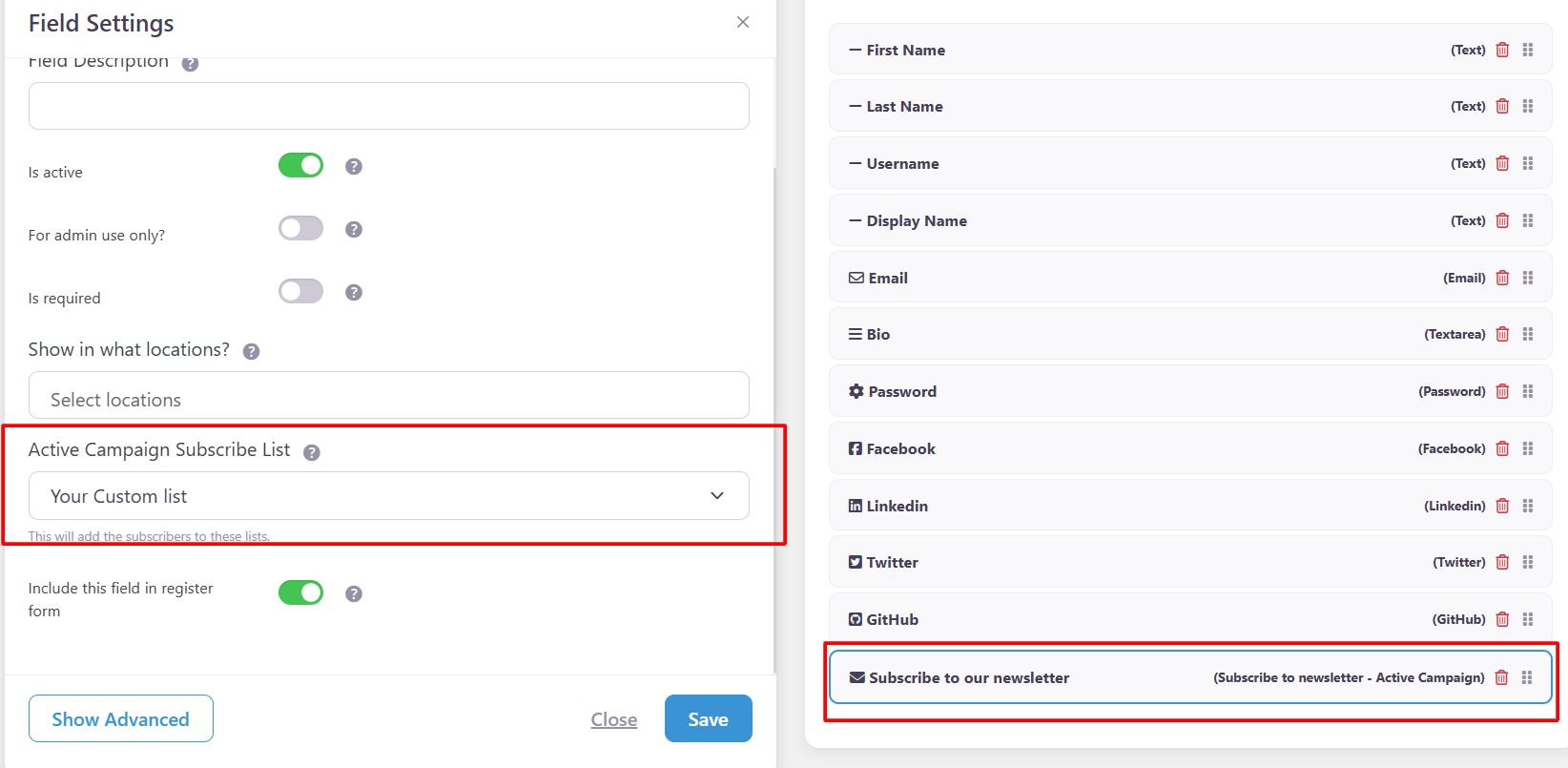
Add this field to the registration form from UsersWP > Form Builder > Register. After adding it, a checkbox will appear on the registration form, allowing users to subscribe during signup.
Frontend Output:
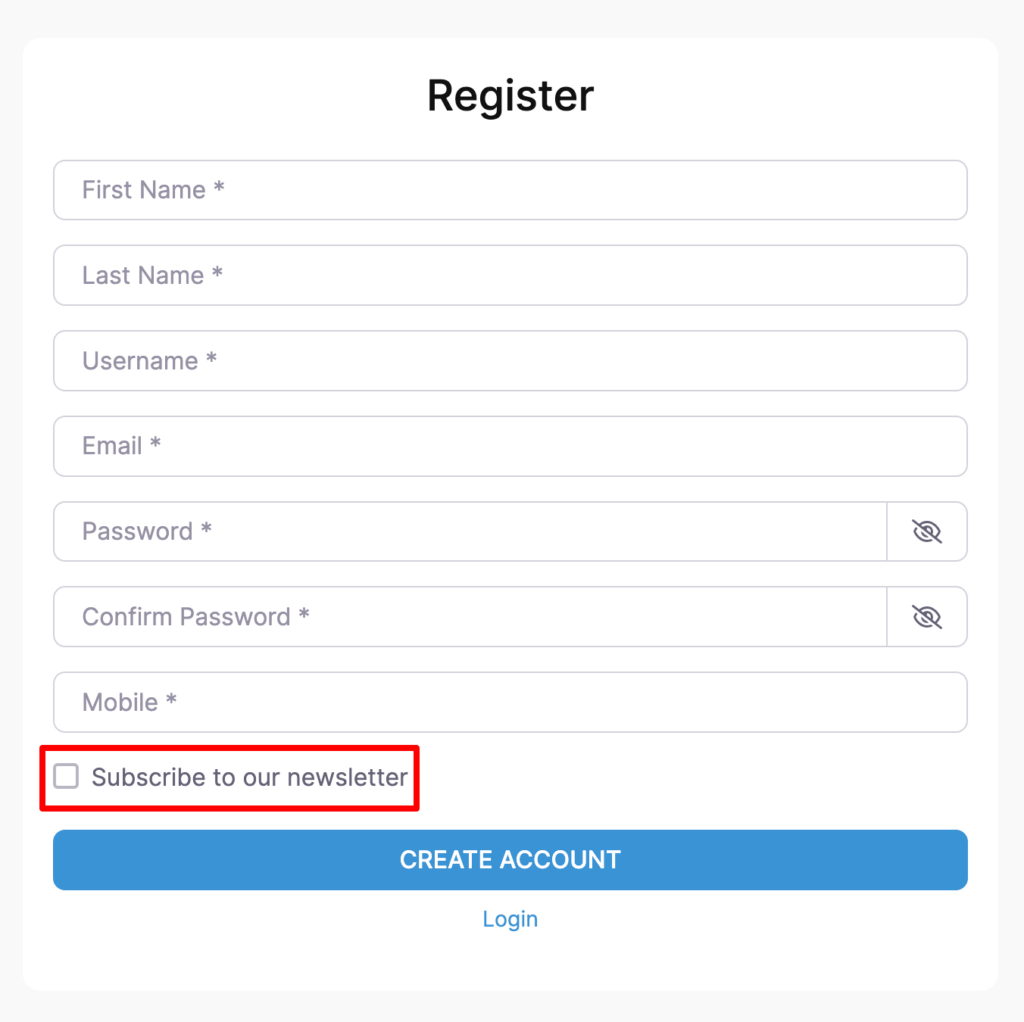
When users check this option, they will be automatically added to the selected ActiveCampaign mailing list after registration.