The UWP > Profile Social widget allows you to display a user’s social media icons within the users profile.
Widget Options
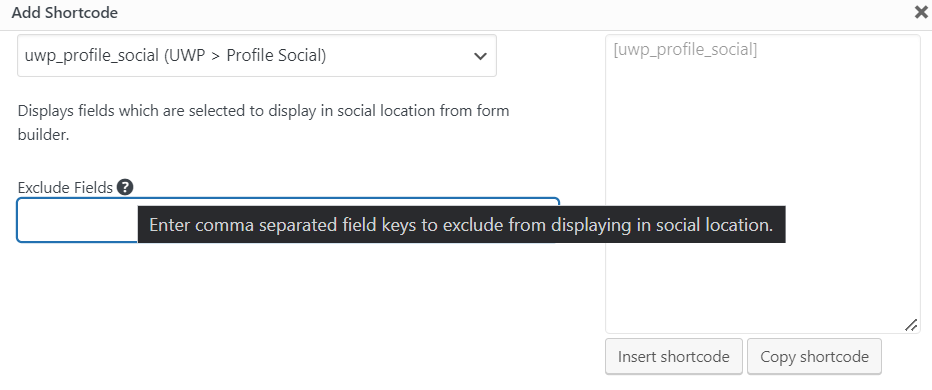
- Exclude Fields – Allows you to hide selected social media icons from the profile. Enter the social media field names (e.g., facebook, twitter) separated by commas.
The social profile section is a list of social network icons. These icons correspond to the social network fields that you can add to the account form for your users.
Social services like Facebook and Twitter each have their own fields. When users will in the fields, then that service links and icon will be displayed in the social profile section.
The functionality of this widget is also included in the UWP > Profile widget. This UWP > Profile Social widget is for custom layouts where you want to show the social icon list using your own layout.
Example Output
Default output:
This widget creates an output that looks similar to this:

Here is the widget options shown in the shortcode builder. The widget has just one option, to enter the field key for any field service you want to exclude like ‘facebook’.
To add social network fields to the profile, visit the Form Builder Doc for more info.